

School Assignment Front Page – Free Online Generator
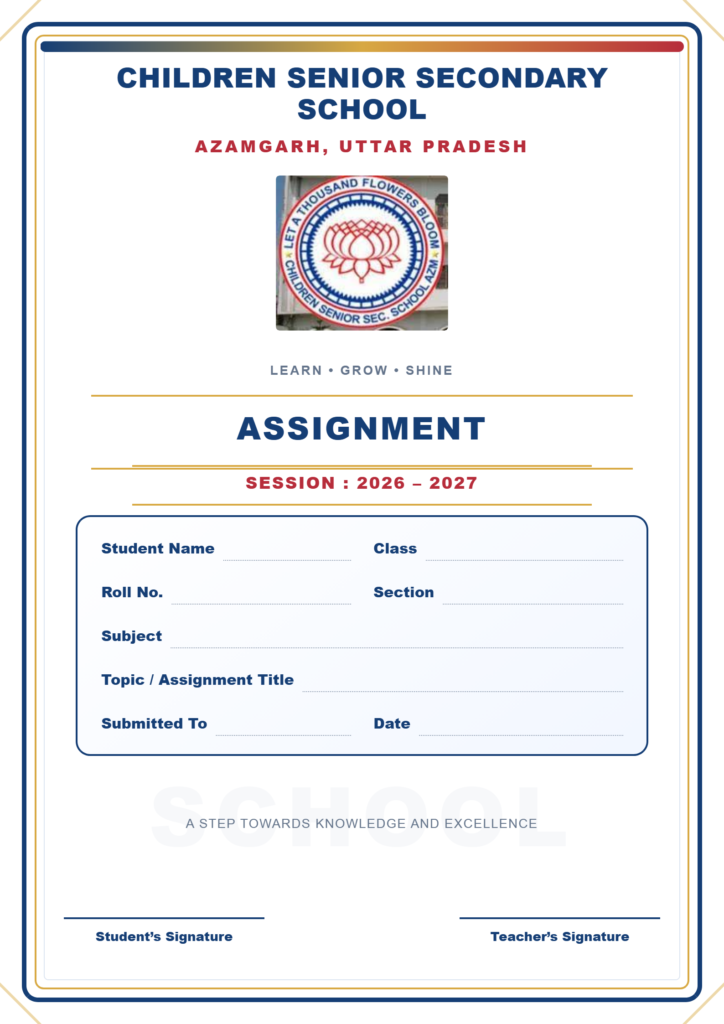
Create a beautiful School Assignment Front Page online for free! Customize your school name, logo, student details, subject, and academic session in just a few clicks. Download your finished assignment cover page in PNG or PDF format and print it easily.
Our School Assignment Front Page Generator features an attractive design with elegant borders, customizable colors, and a clean A4 layout. It is ideal for students who want a professional-looking school assignment or project cover without spending time designing it manually.
Features of Our School Assignment Front Page Maker
- Editable Design: Change school name, session, and assignment details.
- Logo Upload: Add your own school logo.
- Custom Colors: Choose colors to personalize your cover page.
- PNG Download: Save your assignment cover as an image.
- PDF Download: Prepare your cover page for printing.
- A4 Layout: Designed for standard assignment and project files.
- Mobile Friendly: Use the tool on your phone or computer.
How to Make a School Assignment Front Page
- Open the assignment front page generator.
- Edit the school name and academic session.
- Enter your name, class, roll number, and subject.
- Add your assignment topic and teacher’s name.
- Change the logo or colors if needed.
- Download your design in PNG or PDF format.
Frequently Asked Questions
Can I make a School Assignment Front Page for free?
Yes, you can use the generator to customize your assignment cover page without needing graphic design software.
Can I download my assignment cover page as a PDF?
Yes, use the Download PDF option or the Print / Save PDF option.
Can I change the school logo and name?
Yes, the tool allows you to edit the school name and upload a replacement logo.
Conclusion
Make your School Assignment Front Page quickly with our free online generator. Customize your details, create an attractive cover, and download it for printing. Save time and give your school assignment a neat, professional appearance.